

Scams
Check a message
Paste a text, email or link you are unsure of and get a verdict with the signs Jetstone found.
- 1
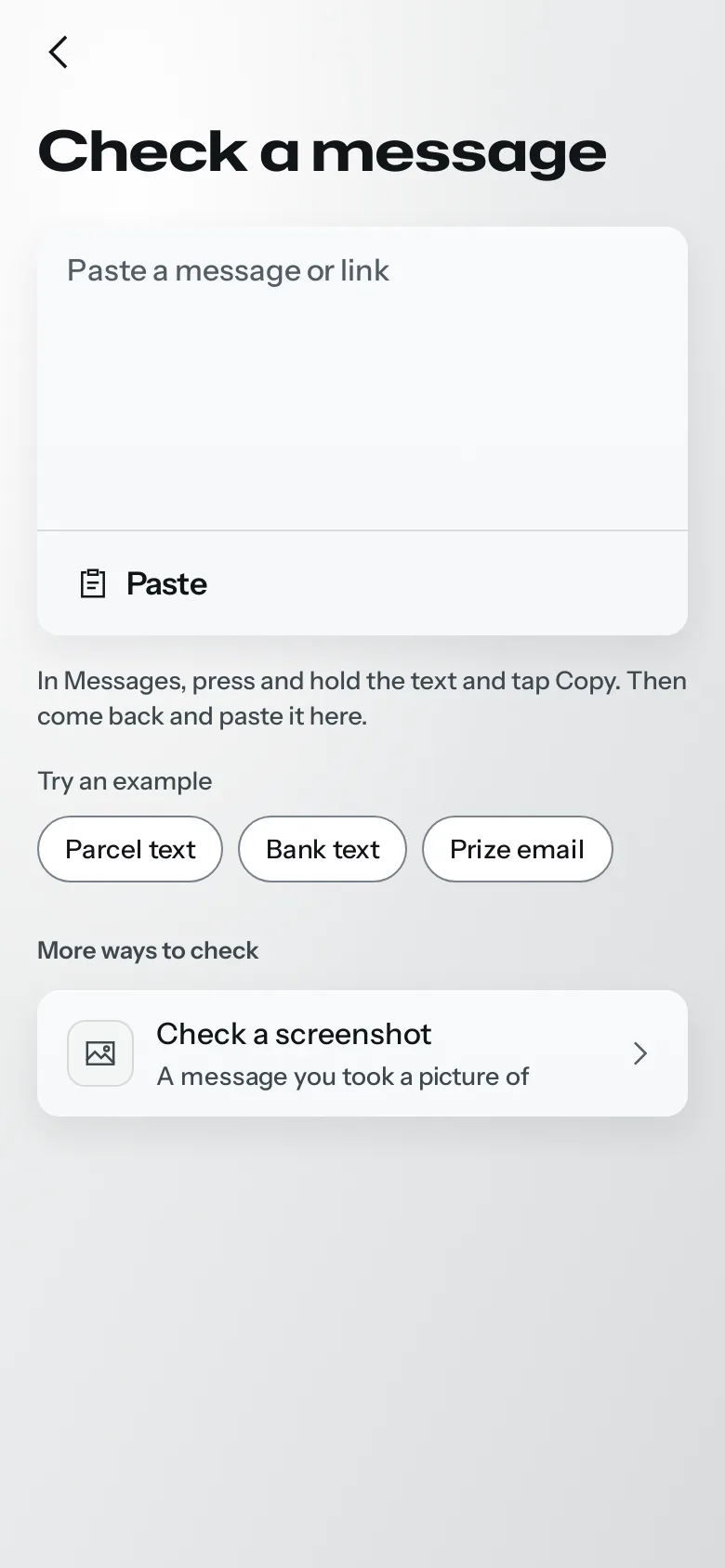
Open Check a message from Home. - 2
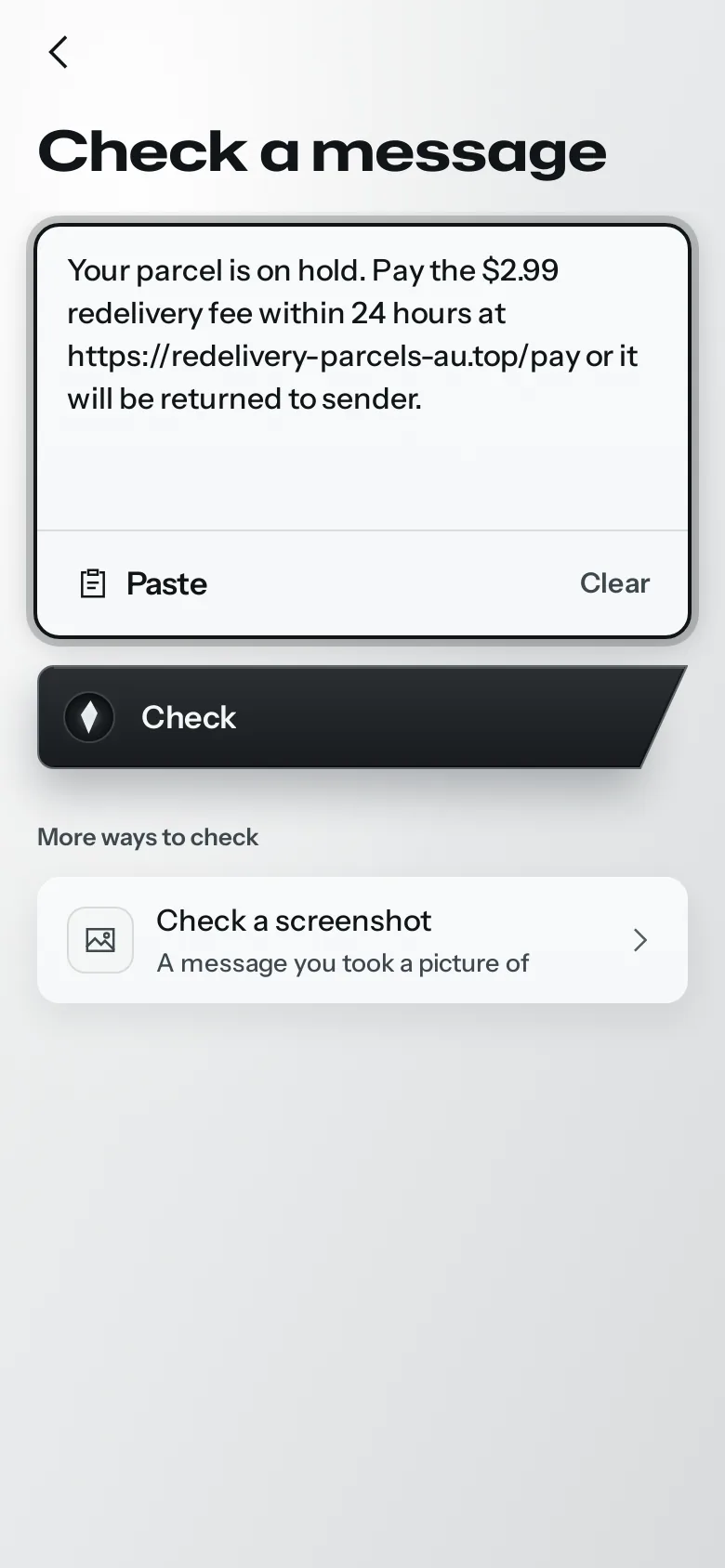
Paste the message, then choose Check. - 3
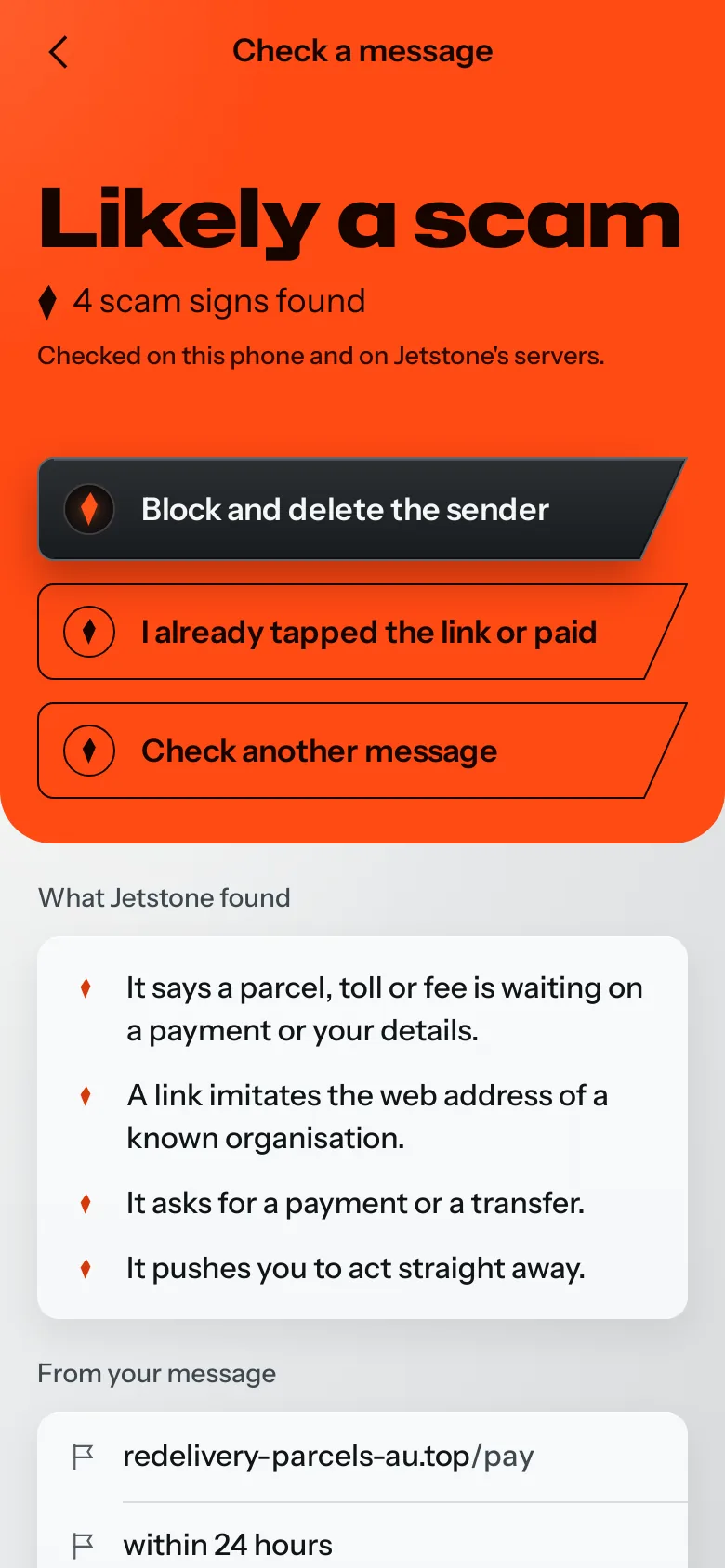
A likely scam, with the signs that gave it away. - 4
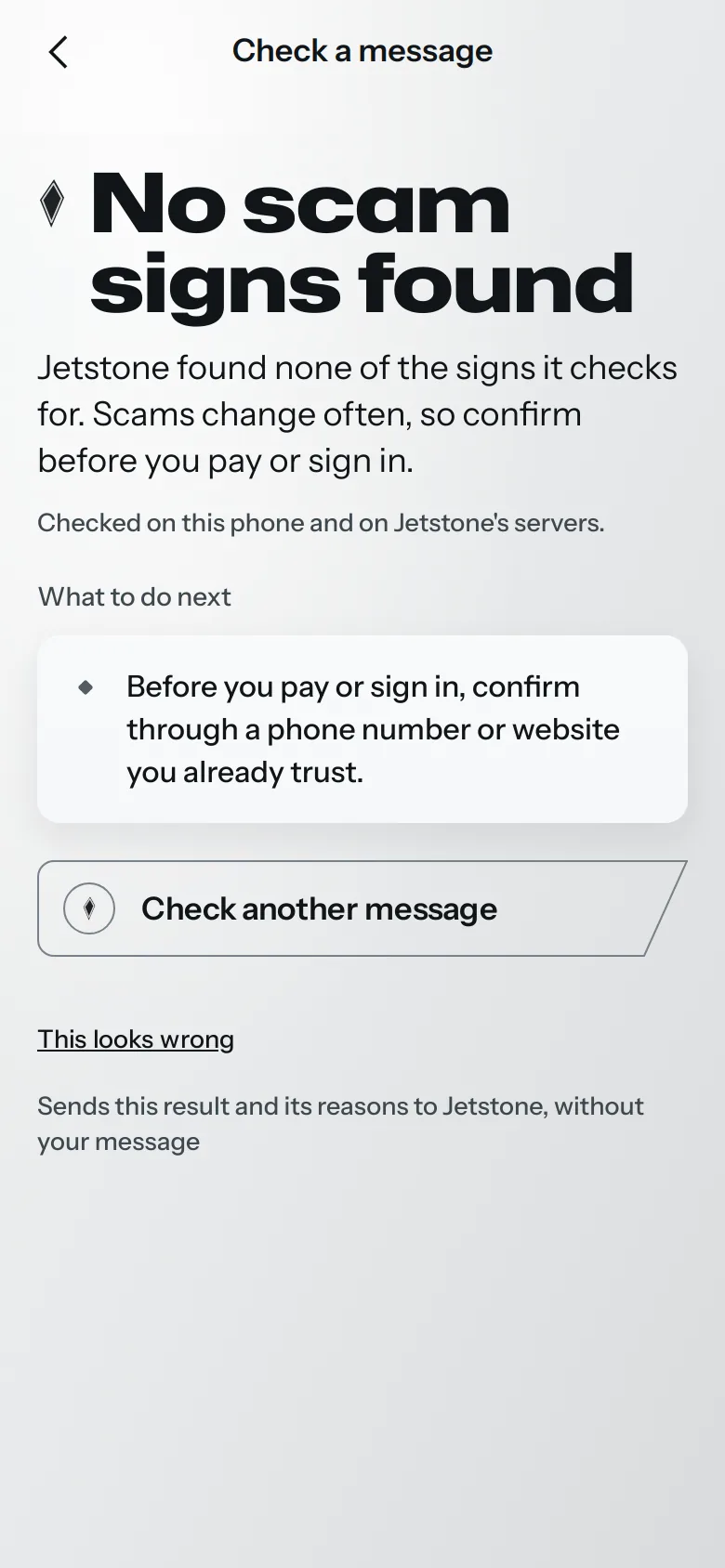
A message with no scam signs.
How to
Check a message for scams
Paste or share a suspicious message or link and get a verdict with the reasons before you reply or tap.
The message check reads a message or link you choose and gives one of three verdicts with the reasons: Likely a scam, Suspicious, or No scam signs found.
Check a message
- Copy the message, or the link inside it, without opening the link.
- Open Jetstone and, on Home, tap Check a message.
- Paste it and choose Check.
You can also share text or a link to Jetstone from another app's share menu.
On AndroidOn Android, select text in any app and choose Check with Jetstone.
What is sent
The first check runs on your phone. With your consent, Jetstone also sends the one message you chose for a deeper check, with numbers such as card and phone numbers removed first. It is checked in Australia and Jetstone keeps no copy. Your other messages and your contacts are never read.
When a caller asks you for a code
A code your bank or a service texts you is for you alone. Hang up and call back on the number on your card or the service's own site.
A code your bank, your phone company or any service sends you is for you to type in yourself. Your bank and Jetstone keep it between you and the screen it was sent for.
- Hang up, even if the caller knows your name or account details.
- Call your bank back on the number printed on your card, or the number on the service's own website.
- Tell them a caller asked for your code, so they can check your account.
If you already read out a code, act now: follow the scam response guide.
Before the next call
- Check a message that asks for a code.
- Set a family safe word, so a voice you know can prove it is them.
More Jetstone tutorials
First run
Protect this phone
Install Jetstone, run the first checks and turn on web protection, in the order the app asks.
Everyday
The checks
What Jetstone checks on your phone, the Wi-Fi you join and your passwords, and how to fix what it finds.
Plans
Plans, the free trial and your subscription
How the free trial works, how to change or cancel your plan, and how to restore it on a new phone.